The $200,000 Disaster
The demo was flawless.
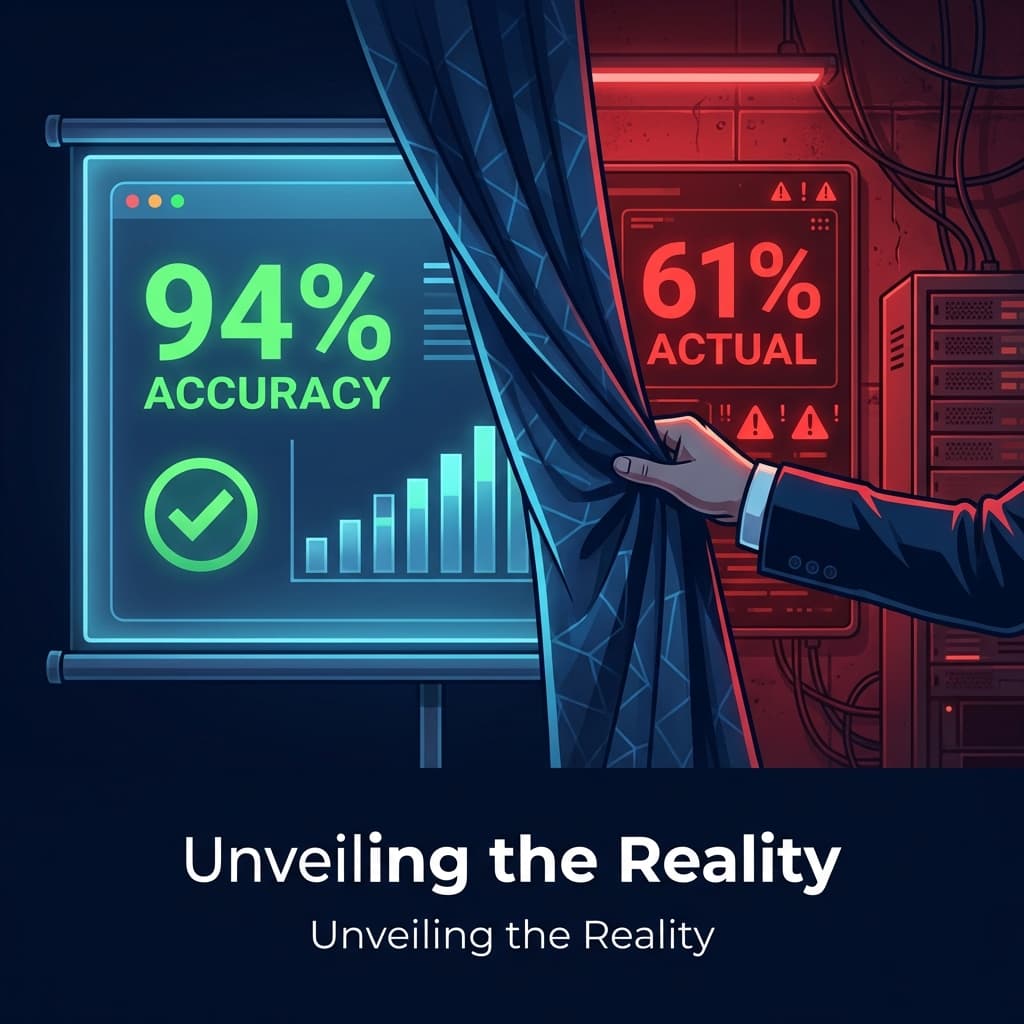
We sat in a conference room watching the vendor's AI analyze customer support tickets. It categorized complaints with uncanny accuracy. It extracted sentiment. It flagged urgent issues. The metrics on the screen showed 94% accuracy. Our VP of Customer Success was practically glowing.
"This will save us 400 hours a month," she said. "We'll cut our ticket backlog in half."
The board approved a $200,000 annual contract. We congratulated ourselves on being an "AI-forward" company. We announced the partnership in our quarterly all-hands.
Then we deployed to production.
Week one: accuracy dropped to 78%. We blamed integration issues.
Week two: 71%. We blamed data quality.
Week three: 61%. We blamed ourselves for not understanding the product.
By week four, we were quietly sunsetting the integration and hoping no one would ask about the $200,000.
Here's what we learned—painfully, expensively, publicly—about why AI demos are fundamentally broken. And how to protect yourself from making the same mistake.
Section 1: The Theater of AI Demos—How Vendors Manipulate You
Let me be clear: most AI vendors are not intentionally deceptive. They genuinely believe their product works. But the demo environment is so fundamentally different from production that the demo itself becomes a form of unintentional theater.
The Cherry-Picked Examples
Every demo shows the "golden path"—the best possible scenarios where the AI shines. Complex edge cases? Messy inputs? Adversarial users? You'll never see those in a demo.
When we reviewed the demo data after our failure, we discovered something revealing: the vendor had curated 150 "example tickets" for the demo. These tickets were:
- Written in perfect English (our real tickets included broken English, regional slang, and emojis)
- Single-issue complaints (our real tickets often contained 3-4 issues in one rambling message)
- Clearly categorizable (our real tickets frequently fell between categories or contained edge cases)
The demo showed what AI could do in ideal conditions. Production showed what AI does in the real world. These are not the same thing.
The Controlled Environment
In a demo, the vendor controls everything: the data, the order of inputs, the pacing, and your attention. They know which examples to skip. They know which questions to deflect. They've rehearsed this dozens of times.
It's like judging a chef by watching them make their signature dish with pre-prepped ingredients. You're not seeing their skill—you're seeing their performance.
The Psychological Manipulation
This isn't malicious, but it's real. Demo environments are designed to impress:
- Authority bias: The vendor brings "senior solutions architects" and "AI research leads" to establish credibility.
- Social proof: "Company X and Company Y are seeing amazing results" (usually with undisclosed caveats).
- Confirmation bias: You came into the demo wanting it to work. The vendor knows this and feeds that desire.
- Time pressure: "This pilot pricing expires at end of quarter" creates urgency that overrides due diligence.
By the end of a good demo, you're not evaluating a product—you're justifying a decision you've already emotionally made.
Red Flag Checklist: 5 Signs the Demo is a Performance
- You can't use your own data during the demo
- The vendor refuses to show failure cases or error handling
- Metrics are presented as single numbers without confidence intervals or variance
- The demo environment looks nothing like your production environment
- Questions about edge cases get deflected to "we can fine-tune that"
If you see more than two of these, you're watching theater, not evaluation.
Section 2: Why "Works in Staging" Fails in Production
Even if the demo is honest, there's a fundamental problem: staging environments don't reflect production reality. Here's why.
The Data Quality Gap
Staging data is clean. Production data is chaos.
In our case, the AI was trained and demo'd on well-formatted support tickets that had been cleaned by humans. In production, we dealt with:
- OCR errors from screenshots of error messages
- Copy-pasted log files with thousands of lines
- Tickets written in "Spanglish" (mixing Spanish and English)
- Angry customers who typed in ALL CAPS with profanity
- Tickets that were literally just "???????????????????????????????????????????????????????????????????????????????????????????????????????????????????????????????????????????????????????????????????????????????????????????????????????????????????????????????????????????????????????????????????????????????????????????????????????????????????????????????????????????????????????????????????????????????????????????????????????????????????????????????????????????????????????????????????????????????????????????????????????????????????????????????????????????????????????????????????????????????????????????????????????????????????????????????????????????????????????????????????????????????????????????????????????????????????????????????????????????????????????????????????????????????????????????????????????????????????????????????????????????????????????????????????????????????????????????????????????????????????????????????????????????????????????????????????????????????????????????????????????????????????????????????????????????????????????????????????????????????????????????????????????????????????????????????????????????????????????????????????????????????????????????????????????????????????????????????????????????????????????????????????????????????????????????????????????????????????????????????????????????????????????????????????????????????????????????????????????????????????????????????????????????????????????????????????????????????????????????????????????????????????????????????????????????????????????????????????????????????????????????????????????????????????????????????????????????????????????????????????????????????????????????????????????????????????????????????????????????????????????????????????????????_something_else" or "this doesn't work"
The model had never seen data like this. It was trained on clean examples and expected clean inputs. Production doesn't care about your expectations.
Distribution Shift: The Silent Killer
This is the technical term for what happens when your training data doesn't match your real-world data distribution.
Imagine training an AI to recognize cats—but only using photos taken in daylight. It performs beautifully on your test set (also daylight photos). Then you deploy it to a security camera that runs 24/7, and suddenly it's failing half the time because it's never seen a cat at night.
That's distribution shift. And it happens to every AI system in production.
In our case, the vendor's training data came from B2C support tickets (consumer product complaints). Our production data was B2B enterprise support (complex technical issues). Same "domain"—customer support—but completely different distribution.
The Long Tail Problem: The 80/20 That Destroys You
Here's the dirty secret of AI accuracy metrics: 80% of cases are easy. Any model can handle them. The remaining 20% are impossible—and that 20% is where your business actually needs help.
The demo showed the 80%. Production exposed the 20%.
When we analyzed our failed tickets, the pattern was clear:
- Simple, clear complaints: 91% accuracy (great!)
- Multi-issue tickets: 58% accuracy (problematic)
- Technical escalations: 34% accuracy (useless)
- Edge cases and anomalies: 12% accuracy (actively harmful)
The overall "94% accuracy" in the demo was mathematically correct—but only because the demo data was 95% easy cases. Our production data was 40% hard cases. The math didn't transfer.
Case Study: The $200k Disaster in Detail
Let me walk through exactly what went wrong.
What the demo showed: A ticket reading "I can't log into my account. I reset my password but it still doesn't work." The AI correctly categorized it as "Authentication Issue" with 98% confidence.
What production showed: A ticket reading "ok so I tried to log in but it said my account was locked?? but I didn't lock it?? and then I tried to reset but it says my email isn't registered but it IS registered because I've been using this for 3 years and I talked to someone named Marcus in chat last week who said he fixed it but it's still broken and also my invoice from December is wrong." The AI confidently categorized this as "Billing Issue" (wrong) with 87% confidence (misleadingly high).
The model wasn't stupid. It was trained on a different world.
Section 3: The "Eval-First" Approach—How to Protect Yourself
After this disaster, we developed an evaluation framework that we now use before signing any AI contract. Here it is.
Rule 1: Never Evaluate on the Vendor's Data
This is non-negotiable. If a vendor won't let you test on your own data, walk away.
Before any demo, prepare a test set of 500-1,000 examples from your actual production environment. Include:
- 50% "easy" cases (you expect the AI to succeed)
- 30% "medium" cases (ambiguous, multi-category)
- 20% "hard" cases (edge cases, adversarial, messy data)
Run the demo on this data, not theirs. Watch what happens to the accuracy.
Rule 2: Define Success Metrics Before the Demo
Before you see a single demo, write down your acceptance criteria:
- Precision: Of the cases the AI flags as X, what percentage are actually X?
- Recall: Of all the actual X cases, what percentage does the AI catch?
- Latency at p99: What's the worst-case response time? (Not average—99th percentile.)
- Cost per query: At your expected volume, what's the actual cost?
- Hallucination rate: How often does the AI make confident mistakes?
If you don't define these before the demo, you'll accept whatever the vendor tells you is good.
Rule 3: Red Team the Demo
Assign someone on your team to intentionally break the AI during the demo. Give them a list of adversarial inputs:
- Empty inputs
- Inputs in a different language
- Inputs with profanity or special characters
- Inputs that are deliberately ambiguous
- Inputs that combine multiple categories
Watch how the AI handles them. Watch how the vendor responds when things break.
The 5-Question Eval Checklist
Before signing any AI contract, you must be able to answer "yes" to all five:
- Have we tested on our own messy production data (not curated examples)?
- Do we have precision/recall metrics segmented by difficulty level?
- Have we stress-tested error handling and failure modes?
- Do we understand the cost at our expected volume (not just list pricing)?
- Have we validated the latency under realistic load conditions?
If you can't answer "yes" to all five, you're not ready to sign.
Section 4: Beyond the Demo—Operationalizing AI Responsibly
Even with great evaluation, production will surprise you. Here's how to deploy AI without creating a $200,000 disaster.
Canary Deployments: Start at 5%
Don't deploy to 100% of traffic on day one. Roll out to 5% and monitor obsessively.
Set up alerts for:
- Accuracy dropping below threshold
- Confidence scores clustering near 50% (indicating uncertainty)
- Latency spikes
- User overrides (humans correcting the AI)
If week one at 5% looks good, expand to 25%. Then 50%. Then 100%. This takes longer but catches problems before they're catastrophic.
Human-in-the-Loop for the First 30 Days
For the first month, have a human review every AI decision (or a representative sample if volume is high).
Build an error taxonomy:
- What types of inputs cause errors?
- Are errors random or patterned?
- Are there entire categories the AI consistently fails on?
This investment pays off. You'll learn things about your data that you didn't know—and that the vendor definitely didn't know.
Continuous Evaluation: Production Metrics Feed Back
Evaluation isn't a one-time event. It's an ongoing process.
Set up a feedback loop where production outcomes (human corrections, customer complaints, resolution success) feed back into your evaluation metrics. Track accuracy over time. If it degrades, you'll catch it early.
We now run weekly accuracy audits on a sample of 100 production cases. It takes 2 hours per week but has prevented two potential disasters.
Closing Provocation
Here's the uncomfortable truth: if a vendor refuses to let you test on your own data, they know something you don't.
They know their model was trained on clean data. They know their accuracy metrics don't generalize. They know the demo is theater.
Your job is to pierce that theater. Bring your messiest data. Ask the hardest questions. Watch how they respond to failure.
A vendor who embraces your adversarial testing is a vendor who believes in their product. A vendor who deflects is a vendor who needs your money more than they need your success.
I wish someone had told us this before we signed that $200,000 contract. Now you know.
Appendix: The AI Vendor Evaluation Scorecard
Rate each vendor 1-5 on these dimensions before signing:
- Data Transparency: They let you test on your own data
- Metric Honesty: They provide segmented metrics, not just aggregates
- Failure Acknowledgment: They openly discuss limitations and failure modes
- Deployment Support: They help with canary rollouts, not just "turn it on"
- Continuous Improvement: They have a plan for model updates and drift monitoring
If any score is below 3, pause and ask more questions. If more than two are below 3, find a different vendor.
Written by XQA Team
Our team of experts delivers insights on technology, business, and design. We are dedicated to helping you build better products and scale your business.