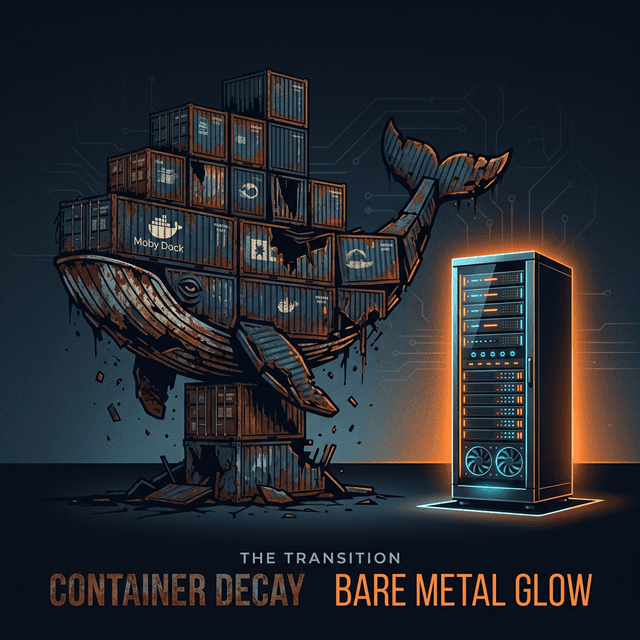
We were good Docker citizens. Every service had a Dockerfile. We ran docker-compose locally. We had multi-stage builds, layer caching, a private registry. We even had a Slack channel called #docker-help where engineers asked why their builds were failing.
That Slack channel had 2,000 messages in 6 months. That was the first sign.
The second sign was when our P99 latency for cold starts hit 1.2 seconds. Not because of our code. Because of the container runtime. The third sign was our 4GB Docker images that took 90 seconds to pull on deployment.
We ripped Docker out of our production stack. We went back to systemd services on bare metal VMs. Our deployment time dropped from 4 minutes to 45 seconds. Our cold-start latency dropped from 1.2 seconds to 200ms. Our engineers stopped asking questions in #docker-help because the channel no longer existed.
The Abstraction Tax
Docker sells itself as "Build once, run anywhere." The reality is "Build once, debug everywhere."
Every layer of abstraction has a cost. Docker adds several layers between your application and the operating system: the container runtime, the overlay filesystem, the virtual networking stack, the cgroup constraints. Each layer adds latency, complexity, and failure modes.
The Filesystem Overhead:
Docker uses overlay filesystems (overlay2, typically). Every file read goes through a union mount that checks multiple layers before finding the actual file. For I/O-heavy workloads — databases, log processors, file transformers — this overhead is measurable.
We benchmarked our log processing service: 23% slower inside Docker compared to bare metal. Not because of CPU or memory constraints. Because of filesystem overhead. Every log line written went through the overlay driver, which added microseconds per operation that compounded into milliseconds per batch.
The Networking Tax:
Docker's default bridge networking adds a virtual ethernet pair and a NAT layer for every container. For services making thousands of internal API calls per second, the networking overhead was significant.
We measured an additional 0.3ms per request in Docker networking compared to direct host networking. At 10,000 requests per second, that is 3 seconds of cumulative latency per second. Not catastrophic, but unnecessary.
Yes, you can use host networking mode. But then you lose network isolation — one of Docker's primary selling points. You are paying the complexity cost without getting the benefit.
The Memory Overhead:
Each container has its own process namespace, its own /proc, its own cgroup accounting. The Docker daemon itself consumes 200-500MB of RAM. For a server running 20 containers, the overhead is 1-2GB of RAM consumed by infrastructure, not applications.
On our 16GB production servers, 12% of memory was consumed by Docker infrastructure. That is memory that could serve user requests.
The Image Size Problem
Our Docker images were enormous. Despite multi-stage builds, Alpine base images, and aggressive .dockerignore files, our typical service image was 800MB to 1.2GB.
Why? Because modern applications have massive dependency trees. A Node.js service with a handful of npm packages pulls in thousands of transitive dependencies. A Python service with scikit-learn pulls in NumPy, SciPy, and their C libraries. A Go service is smaller, but still carries the full binary plus any runtime assets.
These large images created cascading problems:
- Slow Pulls: Pulling a 1GB image over a 1Gbps network takes 8 seconds minimum. In practice, with registry overhead and decompression, it took 30-90 seconds.
- Registry Costs: Storing hundreds of image versions across multiple services consumed 2TB of registry storage. At ECR pricing, that was $200/month just for storage.
- Build Times: Even with layer caching, rebuilding images after dependency changes took 5-15 minutes. Developers waited. Productivity suffered.
- Disk Pressure: Production servers accumulated old images. We ran garbage collection jobs, but they competed with application I/O. More than once, a server ran out of disk because Docker images filled the drive.
On bare metal, deployment means copying a binary (Go) or syncing a directory (Node.js). Our largest deployment artifact is 120MB. It transfers in seconds.
The "Works on My Machine" Lie
Docker's founding promise was eliminating "works on my machine" problems. In practice, it created new categories of "works on my machine" problems.
Docker Desktop vs Linux Docker: Developers on Mac run Docker Desktop, which uses a Linux VM. The filesystem performance characteristics are completely different. File watching (for hot reload) is notoriously slow on Docker Desktop. We had engineers who couldn't use hot reload because their mounted volumes were too slow.
ARM vs x86: Apple Silicon Macs run ARM. Our production servers run x86. Docker images built on one architecture don't run on the other without emulation (QEMU), which is slow and sometimes buggy. We spent weeks debugging issues that only appeared in CI (x86) but not on developer machines (ARM).
Docker Version Skew: Different developers had different Docker versions. Docker Compose V1 vs V2 had breaking syntax changes. Buildkit vs legacy builder had different caching behaviors. The tool that was supposed to eliminate environment differences created its own environment differences.
The irony is palpable. We adopted Docker to solve "it works on my machine." Docker became the new "it works on my machine."
What We Use Instead
We deploy to bare metal VMs managed by Terraform. Each VM runs Ubuntu LTS with our services managed by systemd.
The Deployment Pipeline:
- CI builds the binary (Go services) or bundles the application (Node.js services).
- Artifacts are uploaded to S3.
- A deployment script SSHs into target servers, downloads the artifact, and restarts the systemd service.
- Health checks verify the new version is serving traffic.
- If health checks fail, the script rolls back to the previous artifact.
Total deployment time: 45 seconds. No image pulls. No layer decompression. No container runtime startup.
Isolation: We use Linux user namespaces and systemd's sandboxing features (PrivateTmp, ProtectSystem, NoNewPrivileges) for process isolation. This gives us security boundaries without the overhead of container runtimes.
Reproducibility: We use Nix for dependency management. Nix provides hermetic, reproducible builds without containers. The same Nix expression produces the same binary on any machine. It solves the reproducibility problem Docker claims to solve, but at the package level rather than the OS level.
When Docker Still Makes Sense
I am not saying Docker is universally bad. It has legitimate use cases:
- Kubernetes: If you are running Kubernetes, you need containers. K8s is designed around the container abstraction. But ask yourself: do you actually need Kubernetes?
- Multi-tenant platforms: If you run untrusted code (CI/CD platforms, sandboxed environments), containers provide meaningful isolation.
- Legacy dependency isolation: If you have services with conflicting system library requirements, containers let them coexist on the same host.
- Local development databases: Running Postgres, Redis, or Elasticsearch locally via Docker is genuinely convenient. We still use Docker for this.
For most web services — APIs, background workers, scheduled jobs — Docker is unnecessary overhead. A binary on a VM is simpler, faster, and easier to debug.
The Debugging Advantage
The most underappreciated benefit of bare metal is debuggability.
When something breaks in Docker, you have to figure out: Is it the application? The container configuration? The Docker daemon? The host kernel? The overlay filesystem? The network driver?
When something breaks on bare metal, it is the application. There are no layers to peel back. strace, perf, gdb — all the standard Linux debugging tools work without the indirection of container namespaces.
Our mean time to diagnosis dropped 40% after removing Docker. Engineers could reproduce and fix issues faster because there was less machinery between them and the problem.
Conclusion
Docker was revolutionary in 2013. It introduced the concept of portable, reproducible environments to an industry that desperately needed it. But the industry has moved on. Better tools exist for reproducibility (Nix), isolation (systemd sandboxing), and orchestration (simple deployment scripts).
If you are using Docker because "everyone uses Docker," stop and ask: what problem is Docker solving for you? If the answer is "I don't know," you might be paying the abstraction tax for nothing.
Simplicity is a feature. A binary on a VM is the simplest deployment model. Start there. Add complexity only when you have a specific problem that requires it.
Written by XQA Team
Our team of experts delivers insights on technology, business, and design. We are dedicated to helping you build better products and scale your business.